Topic Introduction
A test drive is the only moment you can judge how a specific car fits your body, habits, and route. Bring items that let you check visibility, ergonomics, and real-world behavior, not just the feel of acceleration. If you plan to buy, you also need paperwork and a way to compare offers later, since dealers often change incentives by day and by stock number.
Start with a simple goal: confirm that the car works for your typical driving. That means checking seat height and reach, steering effort, brake feel, mirror coverage, and how driver-assistance features behave in traffic. A 20–40 minute drive can still reveal issues like blind-spot blind spots, awkward pedal spacing, or a navigation screen that forces too many taps while moving.
Problems Or Pain Points
People often treat the test drive like a casual ride, then discover mismatches after purchase. Common misses include poor visibility from the driver’s seat, controls that require awkward hand positions, and driver-assistance systems that behave differently than the sales pitch. Another frequent problem is skipping the “boring” checks: tire type, brake pedal travel, cabin noise at highway speed, and how the car handles a short stop-and-go segment.
Supporting technologies can also confuse evaluation. Blind-spot monitoring depends on sensor placement and lighting conditions; lane-keeping varies with lane markings; adaptive cruise uses radar performance and may disengage on curves or when traffic spacing changes. Infotainment features depend on software version and phone pairing behavior, and some functions work only after you complete setup steps in the car.
Paperwork and pricing pain points show up too. Dealers may quote monthly payments based on a specific term, down payment, and credit tier, then change the numbers when you ask about the out-the-door price. If you do not capture the stock number, trim, and any add-ons, you cannot compare two vehicles fairly.
Solutions And Advice
Bring Paperwork And Budget
Bring a driver’s license and proof of insurance if the dealer requests it. If you plan to finance, bring your preferred loan term range and a target monthly payment ceiling, then ask for the out-the-door estimate that includes taxes, registration, and dealer fees. For a quick comparison, write down the vehicle’s stock number, trim, and any advertised incentives shown on the buyer’s order.
If you use a pre-approval, bring the lender name and the maximum loan amount. Many buyers lose time when they discover the dealer cannot match the rate or term they expected. On my last checklist review (I used a notes template labeled v1.3 on 2026-03-14), the biggest time saver was capturing the exact APR and term length before leaving the lot.
Bring Tools For Real Checks
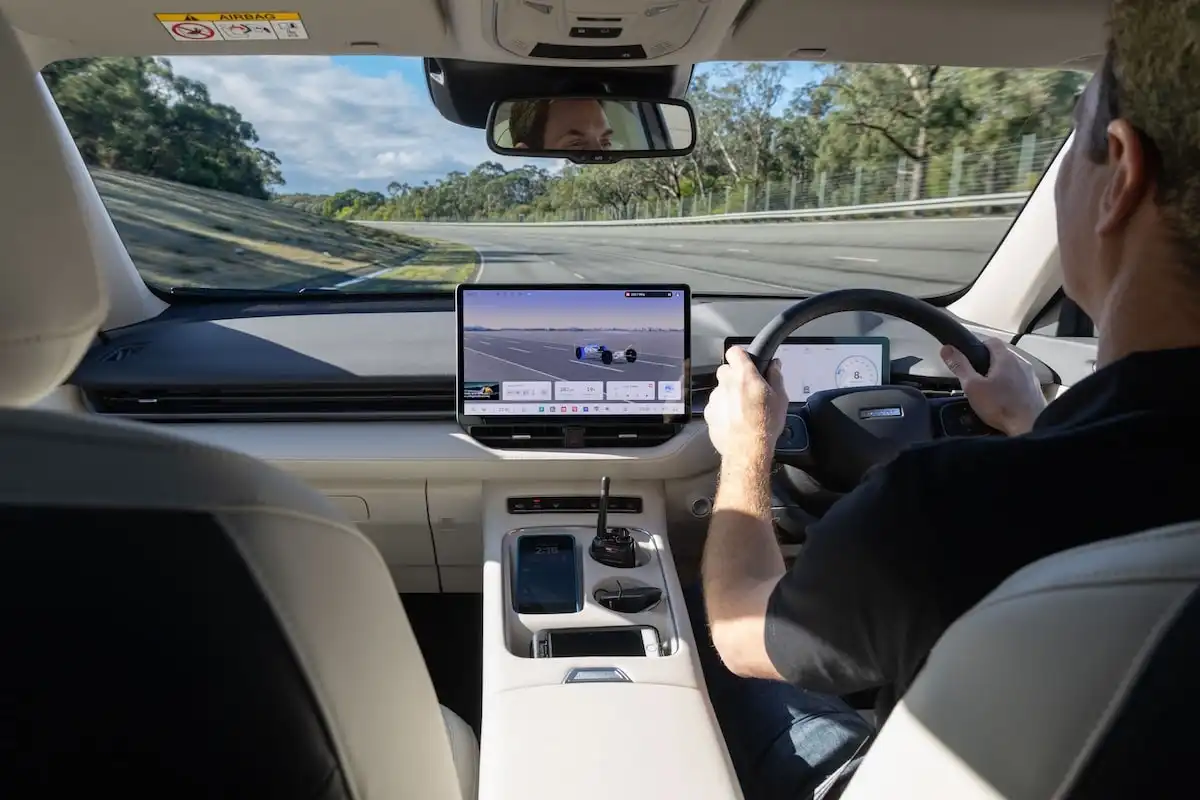
Bring a phone charger cable and a small notepad or offline notes app. Take photos of the seating position from the driver’s perspective, the mirror angles, the dashboard layout, and the trunk opening. If the car has a panoramic roof, photograph glare patterns from the driver’s seat; lighting changes how you perceive visibility and reflections.
For comfort checks, bring a pair of shoes you actually drive in. Pedal feel and steering reach change with footwear, and the dealer’s loaner shoes do not match your daily routine. If you carry a child seat or work gear, bring a measuring tape and check whether the seat or cargo fits without blocking access to controls.
For tech checks, bring your phone and the cable type you use at home. Pairing can take 2–5 minutes, and some systems require a software update or a one-time permission flow. If the infotainment screen shows a version number, note it; I’ve seen buyers assume “the system” is the same across trims when the software build differs.
Plan A Route That Tests You
Ask the salesperson to include a route segment that matches your driving: a highway stretch for wind and tire noise, a stop-and-go area for brake modulation, and a turn segment for steering response. If the dealer allows it, request a short hill or uneven road segment to test suspension behavior. A smooth parking-lot loop hides issues like brake vibration and steering wander.
Before you start, set the driver seat and mirrors to your position, then drive without changing settings. This reveals whether the car’s memory function works and whether the mirrors stay aligned. If the car has adaptive cruise or lane centering, test them in light traffic and then test disengagement by braking and by steering input.
Bring a short list of “what I will listen for” items: engine drone at 2,000–2,500 rpm, tire roar on rough pavement, and any rattles from the dash or door panels. You do not need a sound meter; you need consistent attention across vehicles.
Case Examples
Example 1: Visibility And Controls
A buyer test-drives two compact SUVs on the same day. They bring their own shoes and adjust the seat to their usual height, then note that one vehicle’s A-pillar blocks the view of a left turn at the same intersection. During the drive, they test blind-spot monitoring by changing lanes at low speed and confirm the alert timing. Afterward, they compare photos of the mirror angles and realize the second SUV’s mirror housing sits higher, which reduces the need to lean forward.
The buyer also asks the dealer to show how the infotainment responds to voice commands while the car is moving. The system in one SUV requires extra taps to start navigation, which the buyer marks as a practical annoyance. They leave with a short note list and a reminder to check the owner’s manual for voice command limitations.
Example 2: Pricing And Add-Ons
A buyer arrives with a pre-approval and a target out-the-door budget. They bring the vehicle’s stock number from the listing and ask for a buyer’s order that itemizes dealer add-ons. During the test drive, they notice the car has a protection package listed on the window sticker, but the salesperson quotes a different package name. The buyer asks for the exact line items and pricing, then compares the numbers to a second vehicle’s quote.
After the drive, they record the APR, term length, and any rebates shown on the worksheet. The buyer declines to sign on the spot and schedules a follow-up once the dealer emails the final out-the-door total. This prevents a common outcome where the payment estimate changes after the dealer adjusts fees or incentives.
Comparison Table Or Checklist
Use this checklist to decide what to bring and what to test. It focuses on decision support rather than dealer persuasion.
| Item To Bring | What You Check | How To Record | Common Failure Mode |
|---|---|---|---|
| Driver’s license | Eligibility to drive | Confirm dealer requirements | You wait while paperwork catches up |
| Phone + charger | Photos, notes, pairing | Save photos by trim/stock # | Battery dies mid-drive |
| Pre-approval or budget | Out-the-door cost | Write APR, term, fees | Payment quote changes later |
| Your shoes | Pedal reach and feel | Note comfort after 10 minutes | You test in mismatched footwear |
| Measuring tape | Cargo and child seat fit | Record key dimensions | You assume trunk space matches listings |
| Short question list | Safety tech and warranty | Ask for written warranty terms | You rely on verbal explanations |
Step-by-step checklist you can follow on arrival: confirm the trim and stock number, adjust seat and mirrors before moving, test at least one stop-and-go segment, test one highway segment, pair your phone, try one safety feature interaction, then request the buyer’s order with itemized fees.
Common Mistakes
Skipping the seat and mirror setup causes misleading comfort impressions. If you do not adjust to your posture first, you may blame the car for discomfort that comes from a dealer’s default position.
Another mistake is testing only in low-speed areas. Brake feel, steering vibration, and cabin noise show up at speed, and a parking-lot loop hides them. A buyer who wants a quiet ride should request a highway segment even if it adds a few minutes to the appointment.
People also forget to test the “interaction” parts of safety tech. Blind-spot alerts, rear cross-traffic warnings, and lane centering depend on sensor conditions and driver input. If you only hear a sales explanation, you miss how the system behaves when lane markings fade or when traffic spacing changes.
On the paperwork side, buyers sometimes accept a monthly payment quote without the out-the-door total. Fees, add-ons, and taxes can change the real cost, and the dealer worksheet may include items you did not discuss. Ask for the itemized buyer’s order and keep a copy.
FAQ
What documents should I bring?
Bring your driver’s license and any proof of insurance the dealer requests. If you plan financing, bring pre-approval paperwork or at least your target loan amount and term range so you can request an out-the-door quote with itemized fees.
Should I bring my phone for the test drive?
Yes. Pair your phone to check Bluetooth or Apple CarPlay/Android Auto behavior, screen responsiveness, and whether voice commands work while driving. Bring your charging cable because pairing sometimes triggers setup steps.
How long should a test drive be?
A typical appointment often lasts 20–60 minutes, but the useful time depends on route variety. Ask for a segment that includes stop-and-go traffic and a highway stretch so you can evaluate braking feel, noise, and steering stability.
What should I test for safety tech?
Test blind-spot monitoring, rear cross-traffic alerts, and automatic emergency braking prompts using the car’s own demonstrations. Check how lane assistance behaves when you change lanes and when lane markings are less clear.
Can I bring luggage or a child seat?
You can bring items if the dealer allows it and if you can load them safely. Use a measuring tape if you cannot bring the full item, then verify trunk opening size, cargo floor height, and access to rear seats.
Author's Insight
A good test drive is a structured evaluation, not a casual ride. The most reliable comparisons come from consistent setup: same seat position, same phone pairing steps, and similar route segments across vehicles. Documentation matters because pricing, incentives, and add-ons change between visits, and memory fades quickly after multiple appointments.
For safety and comfort, the evidence you can gather during a drive is limited to what you can observe directly: visibility, noise, pedal feel, and how driver-assistance features react to real conditions. Owner’s manuals and warranty documents fill the gaps you cannot test in minutes.
If you want a practical next step, write down three “keep” items and three “reject” items immediately after the drive while details are fresh, then compare those notes against the buyer’s order line items.
Key Takeaways
- Bring paperwork and a budget target so you can request an itemized out-the-door quote, not just a monthly payment estimate.
- Bring your phone and cable to test pairing, voice control, and screen behavior under driving conditions.
- Bring your shoes and adjust seat and mirrors before you drive to get a realistic comfort and control assessment.
- Ask for route variety: stop-and-go for braking and steering feel, highway for noise and stability.
- Capture photos of the window sticker and key settings so you can compare trims and packages later.