Popular Articles
 Tech
19.10.2026
Tech
19.10.2026
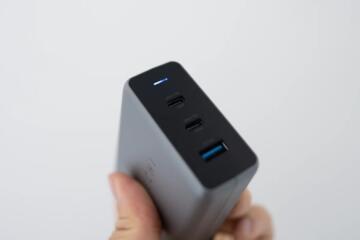
USB-C PD: 60W, 100W and 240W Limits
USB-C Power Delivery (PD) sets negotiated power limits between a charger and a device. This matters for laptops, monitors, docks, and fast-charging phones because the cable and the device’s PD profile decide the real wattage. This article explains what 60W, 100W, and 240W mean in practice, why “rated wattage” can mislead, and how to check PD specs, cables, and device requirements before buying or troubleshooting.
 Tech
13.10.2026
Tech
13.10.2026
USB-C Cables: 60W vs 100W vs 240W Explained
USB-C cable ratings affect charging speed, heat, and device safety. This guide explains what 60W, 100W, and 240W mean in real use, how USB Power Delivery negotiates power, and why “wattage on the box” can mislead. It’s for people choosing cables for phones, laptops, and monitors, including buyers who want fewer compatibility surprises. You’ll learn how to check specs, match cable to charger and device, and avoid common mistakes that cause slow charging or overheating.
 Tech
07.10.2026
Tech
07.10.2026
Display Specs: 60Hz vs 120Hz for Everyday Use
Refresh rate numbers like 60Hz and 120Hz are easy to compare on a spec sheet, but it’s not always obvious what they change in day-to-day use. This guide explains how different refresh rates actually feel on phones, tablets, and monitors—whether you’re scrolling through apps, reading for long stretches, playing games, or trying to stretch battery life. You’ll learn where 120Hz makes a noticeable difference (and where it’s basically marketing), what refresh rate doesn’t improve (like image sharpness on its own), and how related settings such as resolution, brightness, and adaptive refresh can shape the experience. It also includes simple ways to test a screen in person or at home so you can make a confident buying decision.
 Tech
01.10.2026
Tech
01.10.2026
AI Laptop NPUs: TOPS and What They Actually Do
AI laptop NPUs use dedicated hardware to run certain machine-learning tasks with lower power than the CPU or GPU. This guide helps buyers and curious readers interpret TOPS ratings, understand what NPUs can and cannot do, and avoid marketing traps. You’ll learn how TOPS relates to real workloads, which software features matter, how to check device support, and what practical outcomes to expect for on-device features like noise reduction, camera effects, and voice processing.
 Tech
25.09.2026
Tech
25.09.2026
Smartphone Repairability: What the EU Label Measures
The EU’s new smartphone repairability label is meant to make it easier to judge how fixable a phone really is—but the scores can be confusing at first glance. In this article, we break down how the label works, what each rating is actually measuring, and how to use it to compare different models when you’re shopping. You’ll also see where the label stops short (and what it doesn’t tell you), plus practical tips for repair‑minded owners: how to confirm parts availability, required tools, and repair documentation before you pay for a service job or decide to attempt a DIY repair yourself.
 Tech
19.09.2026
Tech
19.09.2026
Phone Battery Health: Cycles vs Maximum Capacity
Phone battery health tracks how a lithium-ion battery ages. This article explains what “cycle count” and “maximum capacity” mean, how they relate, and why two phones can show different numbers after similar use. It’s for readers comparing battery reports on iPhone and Android, planning travel charging habits, or deciding whether to replace a battery. You’ll learn how to interpret metrics, what behaviors change them, and what checks to run before paying for service.
 Tech
13.09.2026
Tech
13.09.2026
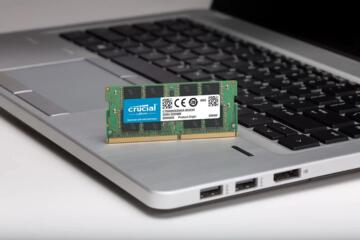
Laptop RAM: 8GB vs 16GB vs 32GB in 2026
Laptop RAM affects how many apps and browser tabs you can run without stutter, plus how smoothly multitasking works. This guide helps buyers in 2026 compare 8GB, 16GB, and 32GB using real usage patterns like web browsing, office work, photo editing, and light coding. You’ll learn what RAM does, what changes with Windows and macOS, how to check your current system, and how to choose a size that matches your workload and upgrade options.
 Tech
07.09.2026
Tech
07.09.2026
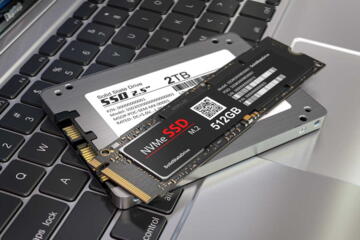
SSD Speed: Sequential vs Random Performance
SSD speed affects installs, game loading, and file transfers, but “GB/s” numbers often hide the behavior that matters for real workloads. This guide explains sequential and random performance in plain English, shows what bottlenecks control each type of speed, and gives practical ways to interpret benchmarks. Readers will learn how to compare SSDs using queue depth, IOPS, and latency, plus how to test their own drive with safe, repeatable steps.
 Tech
01.09.2026
Tech
01.09.2026
Wi-Fi 6 vs 6E vs 7: Which Standard Do You Need?
Wi‑Fi 6, Wi‑Fi 6E, and Wi‑Fi 7 differ in radio bands, channel width, and how they handle many devices at once. This guide helps informed home and small-office users choose the right standard for streaming, gaming, work calls, and smart-home devices. You’ll learn what each upgrade changes, what depends on your router and client devices, how to check real support, and which purchase mistakes to avoid.
 Tech
26.08.2026
Tech
26.08.2026
USB-C on Laptops: What Changed in April 2026
USB-C on laptops affects charging speed, monitor support, docking behavior, and cable compatibility. This article explains what changed around April 2026, how to read USB-C port specs, and how to choose cables and docks without guessing. It’s for buyers comparing laptops, accessories, and work setups, including people who rely on external displays or fast charging. You’ll learn practical checks, common failure modes, and a decision checklist for cables, docks, and monitors.