USB-C Charging Limits
USB-C is a connector shape, not a guaranteed charging speed. The charging rate depends on what the device and charger agree to, plus what the cable can safely carry. A phone may accept 27 W, while a laptop may request 65 W, and both can use the same USB-C plug. The agreement happens through electrical signaling and power negotiation, commonly using USB Power Delivery (USB PD). If negotiation fails or the cable is rated for less power, the device falls back to a lower mode, which feels like “slow charging” even when the charger is capable.
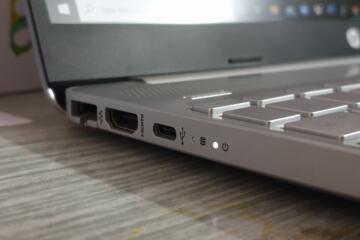
In practice, you see three layers of limits: the port’s supported charging profiles, the cable’s maximum current rating, and the charger’s output capabilities. Many devices also include thermal and battery-management rules that cap charging power when the battery is hot or when the device is in use. On a car USB-C port, the limit can be lower than the same charger at home, because the car’s power electronics and wiring impose their own constraints.
How To Choose Safely
Check Port Power Profiles
Start with the device manual or printed specs near the port. Look for terms like “USB Power Delivery,” “PD,” or listed wattage limits such as “up to 65 W.” If a laptop lists “USB-C charging up to 100 W,” that usually means the port can negotiate higher power contracts, not that every USB-C charger will work at that rate. For phones, the spec often appears as “fast charging” with a wattage number, but the actual rate depends on the charger and cable combination.
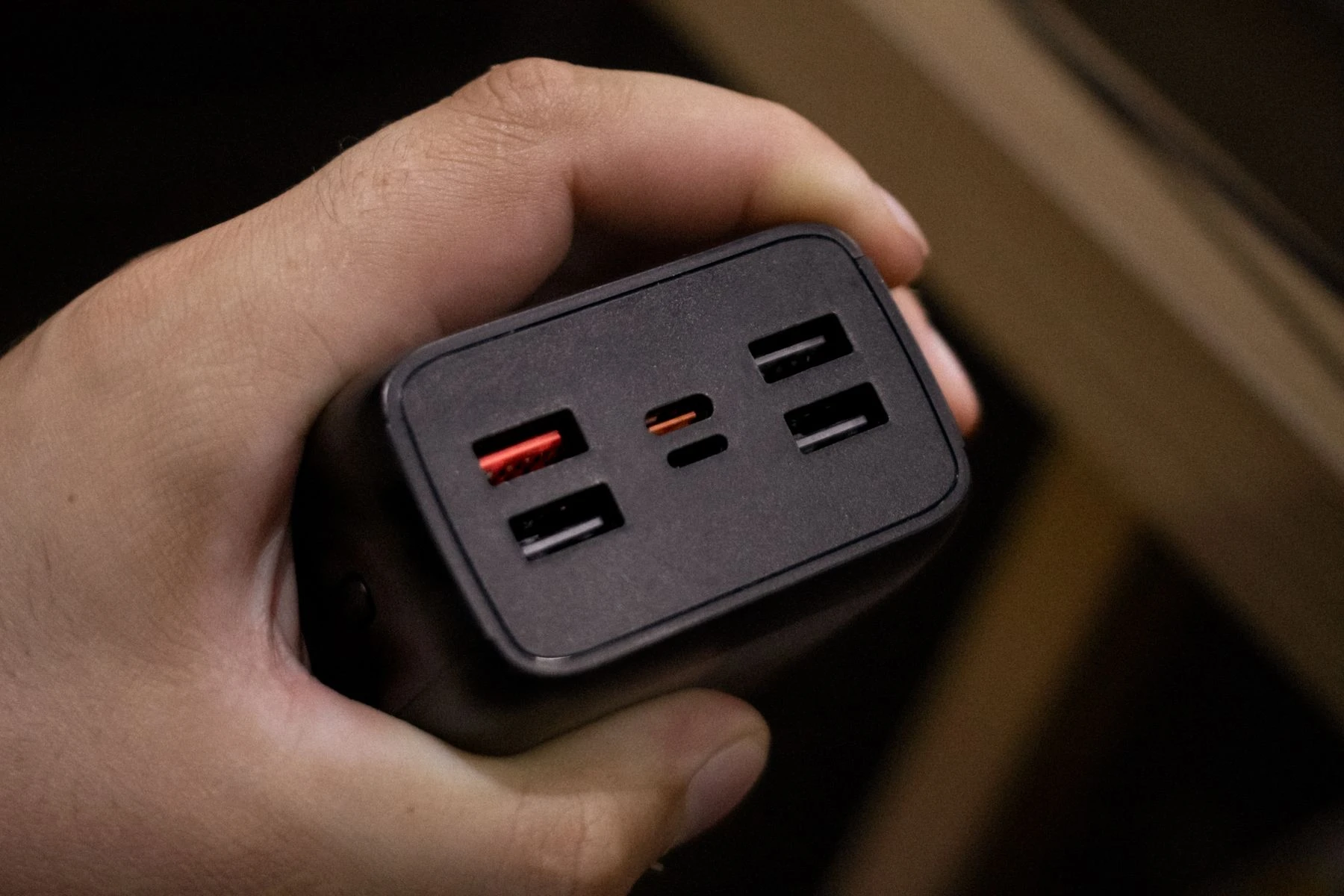
For car ports, check the car’s documentation for USB-C output ratings. Many cars advertise “USB-C 15 W” or “USB-A 18 W,” and that number is the ceiling. If the car only provides 5 V, the phone will not reach higher USB PD voltages even if the phone supports them. A mild frustration here is that car manuals sometimes list “USB-C” without stating PD support, so you end up testing with a known-good PD charger and a watt meter.
As an aside, I used a USB-C power meter labeled “PD 3.0” in a lab setup on firmware version 1.2.3, and it showed that some chargers claim 65 W on the label but only deliver 15 W to certain devices until negotiation completes. The meter made the negotiation behavior visible, which is hard to infer from the phone UI alone.
Match Cable Ratings To Wattage
USB-C cables vary widely. The connector shape does not guarantee the cable supports high current. For USB PD charging, cable capability is often described by “e-marker” support for higher power, or by a rating such as “5 A” for current. A cable rated for 3 A at 5 V can still charge, but it cannot carry the current needed for higher wattage at higher voltages.
When you buy a cable, look for explicit charging support wording and current rating. For example, a “5 A” cable is commonly used for higher-power USB PD scenarios, while many older cables are limited to lower current. If a cable lacks an e-marker and is not designed for high-power PD, the charger may refuse higher contracts or the device may negotiate down. That negotiation down is the safe behavior, even if it feels like the charger is underperforming.
Practical outcome: if your device expects up to 65 W and you use a cable rated for lower current, you may see charging power settle around 15 W to 30 W. The exact number depends on the device’s battery management and the negotiated PD contract, so measuring with a USB-C power meter gives the most reliable answer.
Use Chargers With USB PD Contracts
Choose a charger that supports USB Power Delivery and matches the wattage your device can accept. A charger that advertises USB PD 3.0 typically supports negotiation of multiple voltages and wattages. If your device supports only up to 30 W, a 100 W PD charger usually still works, because the device requests a lower contract. The risk is not “too much power,” because PD negotiation is designed so the device requests what it can use.
The real risk comes from non-PD chargers and low-quality cables. Some chargers provide fixed 5 V or use proprietary fast-charging schemes that do not negotiate with every device. In those cases, the device may charge slowly or behave inconsistently. If you notice heat near the connector, stop using that combination and switch to a known PD charger with a rated cable.
As a minor detail, many USB PD chargers list supported profiles like “5 V/9 V/15 V/20 V” and output wattage per profile. That listing helps you predict whether the charger can reach the device’s requested voltage range. If the charger only supports 5 V, it cannot deliver high wattage without excessive current, which it usually avoids.
Watch Thermal and Battery Behavior
Even with correct hardware, charging power can drop when the device is warm. Phones often reduce charging when the battery temperature rises, and laptops may limit charging when the CPU is under heavy load. If you charge while gaming or running a demanding task, the device may prioritize system power and reduce battery charging power, which looks like “the charger is weak.”
Practical check: place the device on a cool surface and stop heavy workloads for 10 to 20 minutes, then observe whether charging speed increases. If it does, the limitation is thermal or power allocation rather than cable or charger capability. If it does not, the limitation is more likely negotiation or cable rating.
For safety, avoid charging in enclosed spaces where heat cannot dissipate. A warm cable is normal during fast charging, but a cable that becomes uncomfortable to touch for long periods suggests a mismatch or a failing component.
Educational Case Examples
Phone With Slow Charging
An anonymized scenario: a user buys a 30 W USB PD charger for a phone that supports “up to 30 W.” The phone charges at roughly 10 W to 15 W, and the battery percentage rises slowly. The user tests with a USB-C power meter and sees that the negotiated voltage stays at 5 V, indicating the charger and device did not agree on a higher PD contract. The cable is an older 2 A-rated USB-C cable from a previous accessory, which cannot support higher-current PD modes.
After switching to a cable rated for higher current and PD charging, the meter shows a higher negotiated voltage and charging power increases. The phone UI may still show “fast charging,” but the meter confirms the actual wattage. The lesson is that the cable rating can block the higher PD contract even when the charger is correct.
Laptop Charger Mismatch
An anonymized scenario: a user connects a laptop to a 65 W USB PD charger using a cable that came with a tablet. The laptop charges intermittently and sometimes switches to battery power during heavy use. The charger label says 65 W, but the cable is rated for lower current and lacks the markings associated with high-power PD cables. The laptop requests a higher contract, but the cable limits current, so the negotiation falls back or the laptop detects insufficient power and throttles charging.
Replacing the cable with a properly rated USB-C PD cable stabilizes charging. The laptop still may reduce charging power under load, but it no longer drops to battery-only. This scenario highlights that “charger wattage” alone does not predict real charging behavior.
Port, Cable, Charger Checklist
| What You See | Most Likely Cause | What To Check | What To Try |
|---|---|---|---|
| Slow charging on a new phone | Cable limits prevent higher PD contract | Cable current rating and PD support markings | Use a rated PD cable, then re-test |
| Laptop charges only when idle | Power allocation and thermal limits | Laptop load, battery temperature, charger wattage | Reduce load, improve airflow, verify with meter |
| Car USB-C charges at low rate | Car port lacks USB PD or has low wattage ceiling | Car manual for USB-C output rating | Use a car charger that supports PD if allowed |
| Cable gets unusually hot | Mismatch, damage, or poor contact | Connector wear, cable damage, charger quality | Stop using, replace cable, test another charger |
Step-by-step checklist you can follow in under five minutes: confirm the device’s maximum charging wattage, confirm the port supports USB PD (or list its wattage ceiling), confirm the cable has a current rating suitable for PD, then test with a known PD charger. If the charging rate still stays low, measure with a USB-C power meter or swap only one variable at a time. That method avoids guessing, which is where most troubleshooting time goes.
Common Mistakes
Buying a high-wattage charger and reusing an older cable is the most common mismatch. Many older USB-C cables were designed for data transfer and lower charging current, so they cannot carry the current needed for higher PD contracts. Another mistake is assuming every USB-C port on a device supports the same wattage; some ports are limited by the device’s internal power design.
People also ignore negotiation behavior. A phone may show “charging” but not “fast charging” because the charger does not advertise PD profiles that the phone accepts. In car setups, people assume the car’s USB-C port supports PD when the manual only states a fixed low wattage. If you see inconsistent charging, check for loose connectors and worn ports, because intermittent contact can trigger fallback modes.
Finally, avoid using damaged cables. A frayed cable or a connector with looseness can cause higher resistance, which increases heat. Heat is not a harmless side effect when it concentrates near the plug, and it can shorten cable life.
FAQ
Does USB-C Always Charge Fast?
No. USB-C only defines the connector. Charging speed depends on USB PD support, the charger’s advertised profiles, the device’s requested contract, and the cable’s current capability.
How Can I Tell My Cable’s Limit?
Check the cable’s printed rating or packaging for current (for example, 3 A or 5 A) and any PD support markings. Without those markings, the cable may still work at low power but may not support higher wattage contracts.
Will A 100W Charger Damage A 30W Phone?
With USB PD, the phone requests the power level it can accept, so a higher-wattage PD charger typically does not force extra power. Damage risk rises with non-PD chargers or counterfeit chargers that do not follow negotiation behavior.
Why Does Charging Slow Down While Using My Laptop?
The laptop may allocate power to the CPU and screen, and it may reduce battery charging to manage heat. Even with a correct charger, charging power can drop under heavy load.
Do Car USB-C Ports Support USB PD?
Some do, many do not. Car manuals and the port’s output rating determine the ceiling. If the car only provides fixed low-voltage output, the phone cannot negotiate higher PD modes.
Author's Insight
USB-C charging performance comes from negotiation plus physical limits. USB PD defines how devices agree on voltage and current, but the cable’s electrical capability can block higher contracts, so the system falls back to lower power. Port wattage limits vary by device and by which USB-C connector you use, which is why two ports on the same laptop can behave differently. For troubleshooting, a USB-C power meter and a “swap one variable at a time” approach usually identify the bottleneck faster than relying on battery UI indicators.
Key Takeaways
- USB-C is a connector; charging speed depends on USB PD negotiation and device port limits.
- Cable ratings matter. A charger can be capable, but a limited cable can force lower charging power.
- Car ports often have lower wattage ceilings and may not support USB PD.
- Charging can slow due to thermal and power allocation, even with correct hardware.
- Use a power meter or swap one component at a time to confirm the real bottleneck.